Micalys Redesign
Micalys Redesign
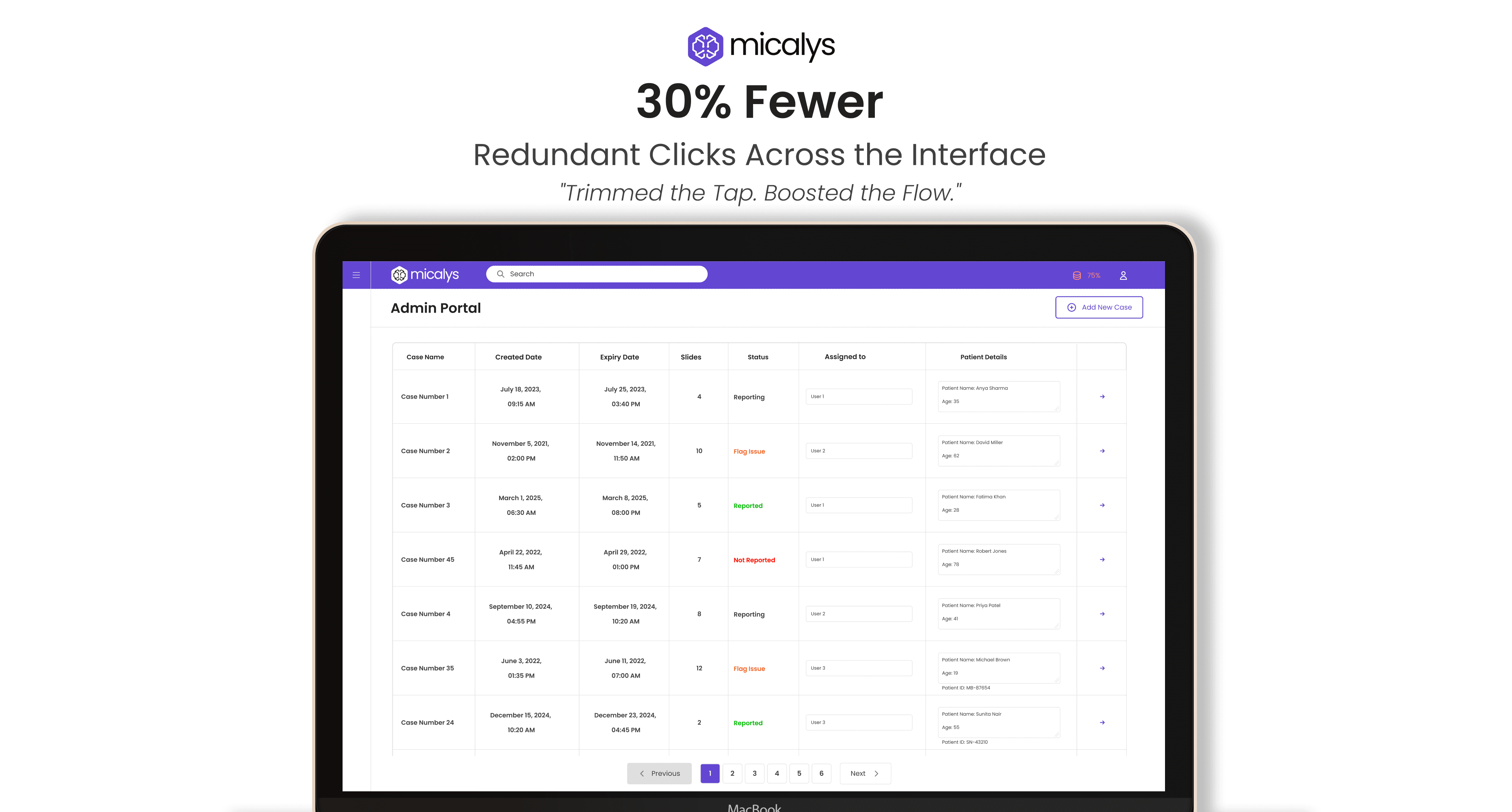
Translating complex medical workflows into
Streamlined, role-based reporting system that enhances clarity, reduces friction, and scales across diverse lab environments.
Redesigning the interface for Micalys,
To streamline workflows, enhance interface clarity, and resolve system-level security concerns caused by redundant modes and poor usability.
OVERVIEW
OVERVIEW
The Micalys redesign focused on transforming Medprime’s digital microscopy interface into a more intuitive, efficient, and secure platform. The original system suffered from unclear workflows, confusing interface elements, and a redundant Maintainer Mode that risked data privacy. Through this redesign, we aimed to create a user-centered experience that supports seamless diagnostics while safeguarding sensitive information.
INDUSTRY
Medical Equipements
USERS
Healthcare Professionals
CATEORY
Product Design
USER
Healthcare Professionals
CATEOGRY
Product Design
GOALS
GOALS
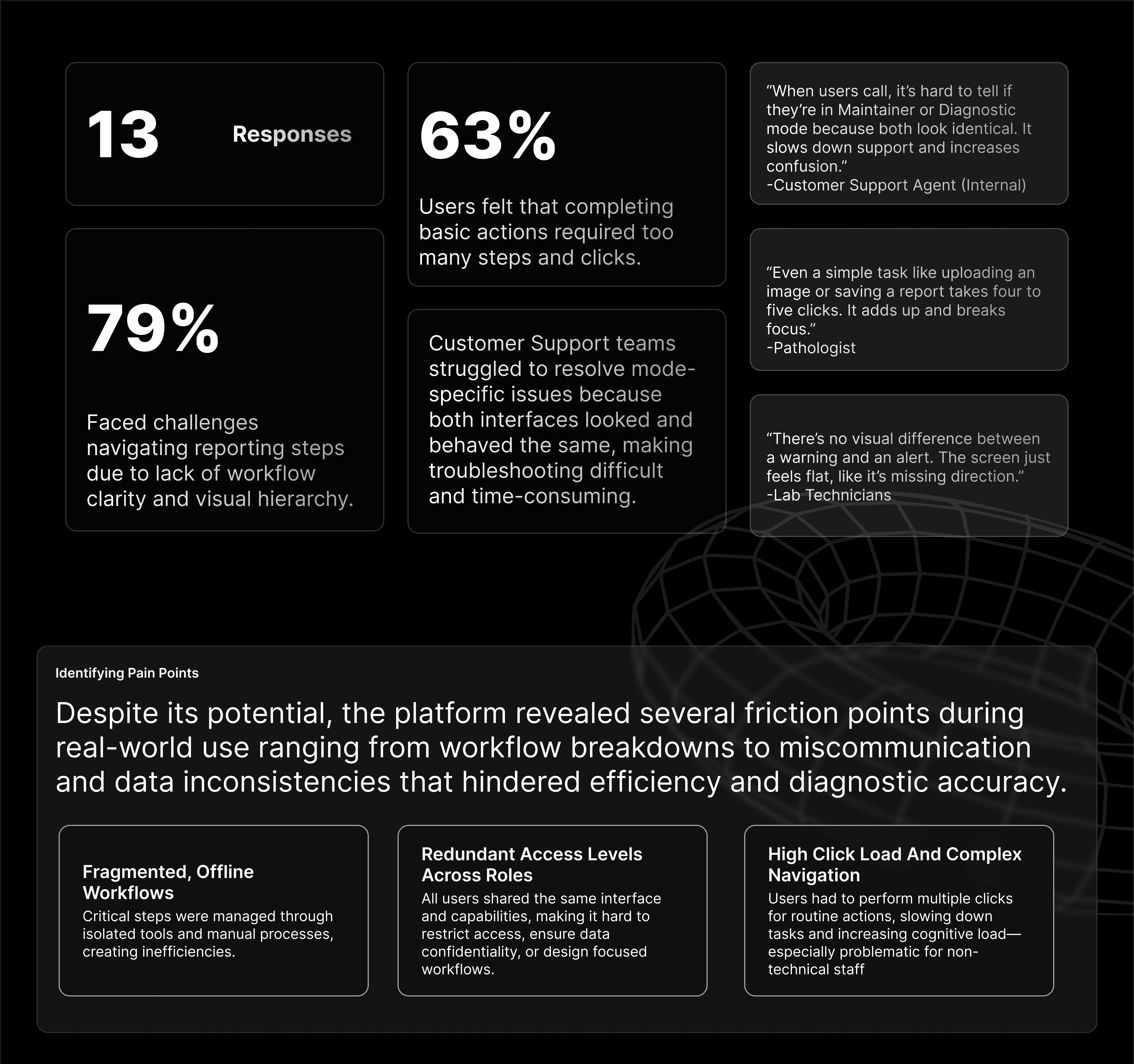
The redesign of Micalys was driven by a need to streamline lab workflows, strengthen system security, and enhance usability for non-technical users. My focus was on aligning the platform with real-world usage while eliminating redundancies.
The redesign of Micalys was driven by a need to streamline lab workflows, strengthen system security, and enhance usability for non-technical users. My focus was on aligning the platform with real-world usage while eliminating redundancies.
The redesign of Micalys was driven by a need to streamline lab workflows, strengthen system security, and enhance usability for non-technical users. My focus was on aligning the platform with real-world usage while eliminating redundancies.
Separate Support from Diagnosis
Separate Support from Diagnosis
Separate Support from Diagnosis
Redefined Maintainer Mode to limit its scope strictly to device diagnostics and support removing access to clinical workflows and patient data to reduce privacy risks.
Redefined Maintainer Mode to limit its scope strictly to device diagnostics and support removing access to clinical workflows and patient data to reduce privacy risks.
Optimize Everyday Tasks
Optimize Everyday Tasks
Optimize Everyday Tasks
Improved interface efficiency by minimizing excessive clicks, simplifying navigation paths, and eliminating repetitive actions, especially for lab technicians and diagnosticians.
Improved interface efficiency by minimizing excessive clicks, simplifying navigation paths, and eliminating repetitive actions, especially for lab technicians and diagnosticians.
Design for Structure and Safety
Design for Structure and Safety
Design for Structure and Safety
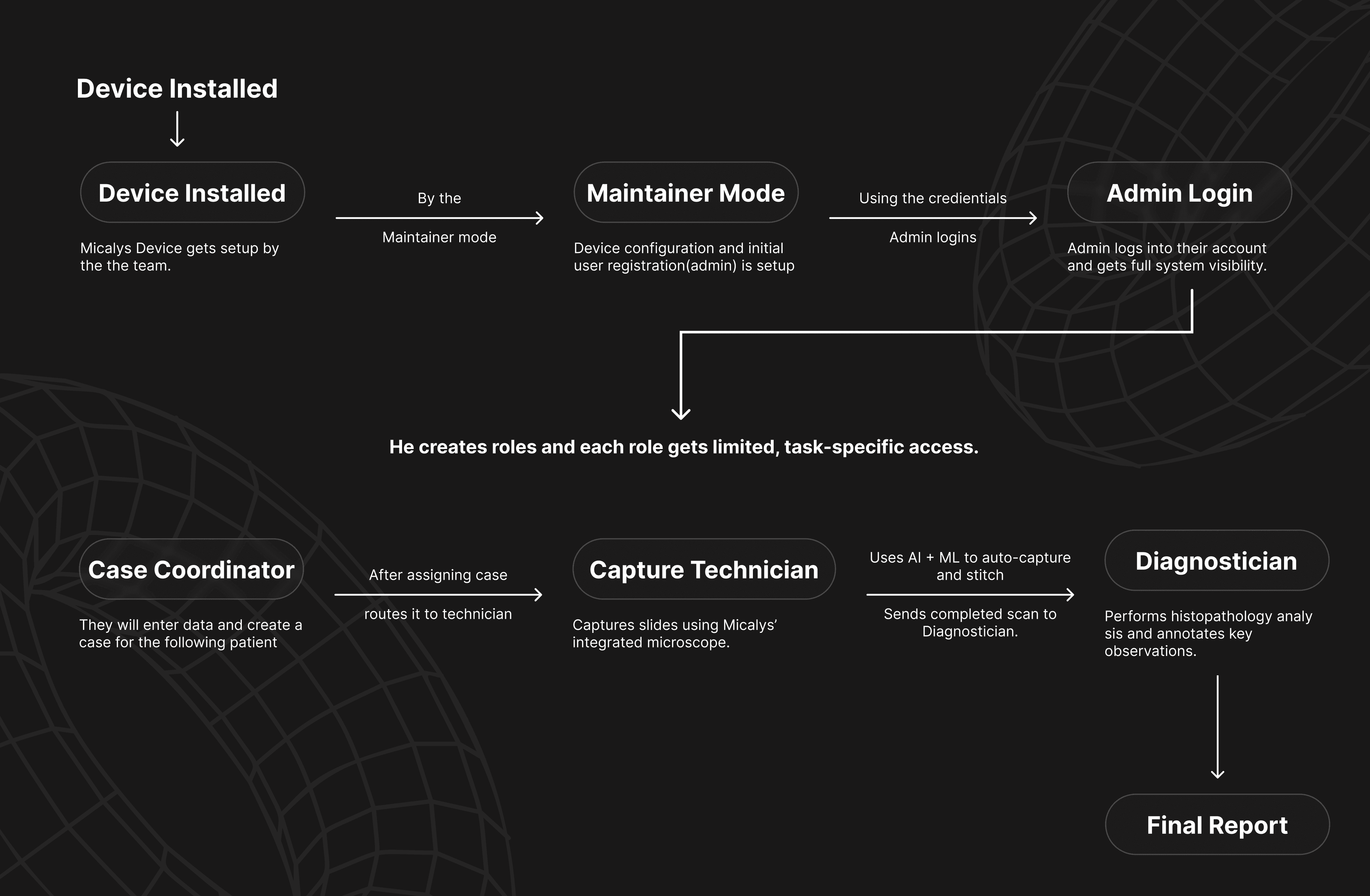
Introduced role-based system and unified layouts across modules, ensuring that each user interacts only with tools relevant to their responsibilities, creating both clarity and security.
Introduced role-based system and unified layouts across modules, ensuring that each user interacts only with tools relevant to their responsibilities, creating both clarity and security.
USER FLOW
USER FLOW
PIPELINE
PIPELINE
Streamlining Slide Capture with Automation
Streamlining Slide Capture with Automation
Streamlining Slide Capture with Automation
In this project, for further automation in the capture process, a robotic slide loader is in the pipeline. It will automate slide handling, reduce human error, and save time, making the technician’s job significantly faster and more accurate.
WIREFRAME
WIREFRAME
⚠️ Heads up: Videos might load in lower quality by default. If things look a bit blurry, try bumping up the resolution manually for the best experience.
Heads up: Videos might load in lower quality by default. If things look a bit blurry, try bumping up the resolution manually for the best experience.
Note on Confidentiality
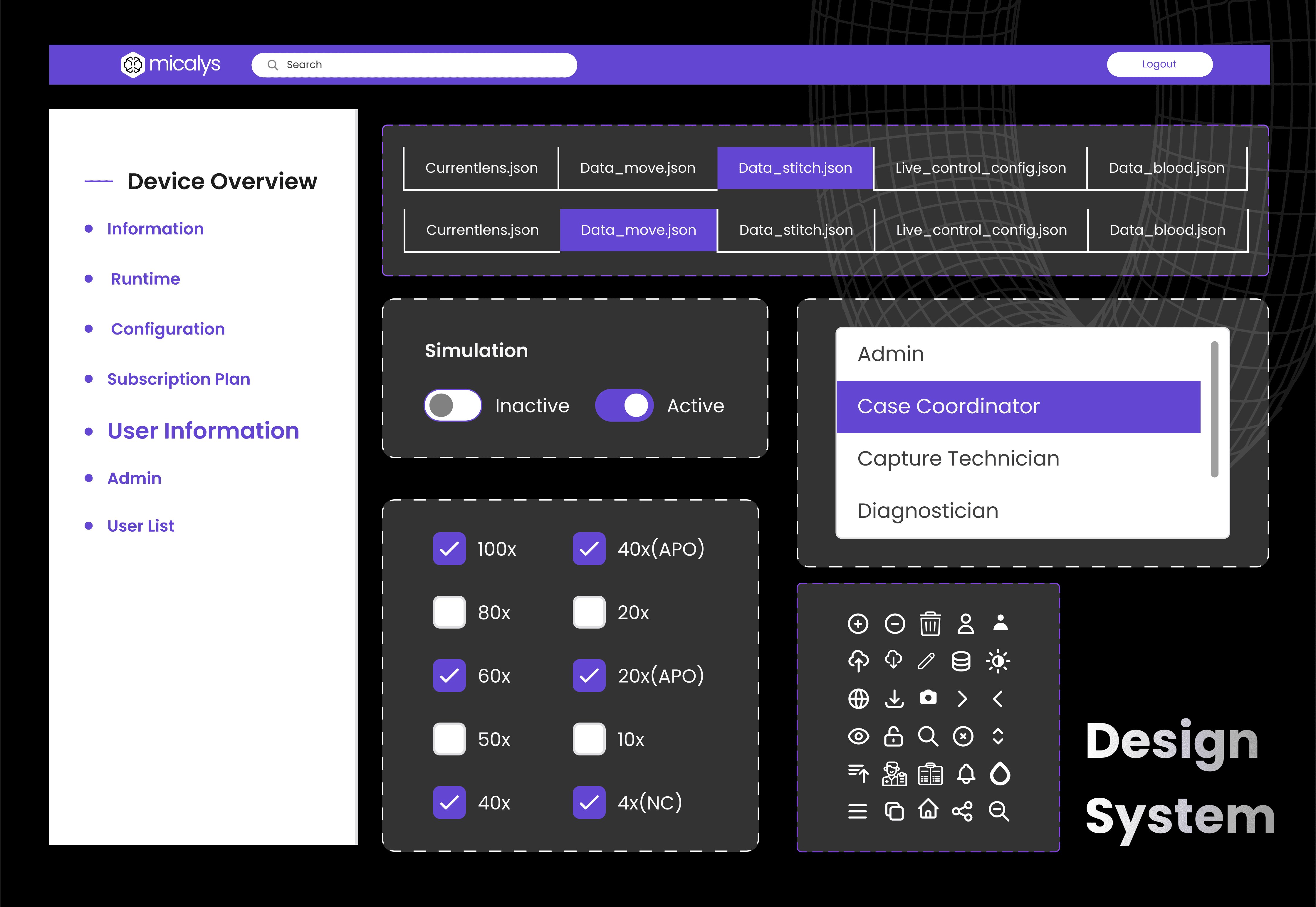
Due to confidentiality, I’m unable to share the final designs, as Some portions of the interface—particularly those involving sensitive workflows—have been redacted for compliance. However, the overall strategy is reflected in the shared documentation, and I’d be happy to walk you through the rationale behind the key decisions.
Note on Confidentiality
Due to confidentiality, I’m unable to share the final designs, as Some portions of the interface—particularly those involving sensitive workflows—have been redacted for compliance. However, the overall strategy is reflected in the shared documentation, and I’d be happy to walk you through the rationale behind the key decisions.
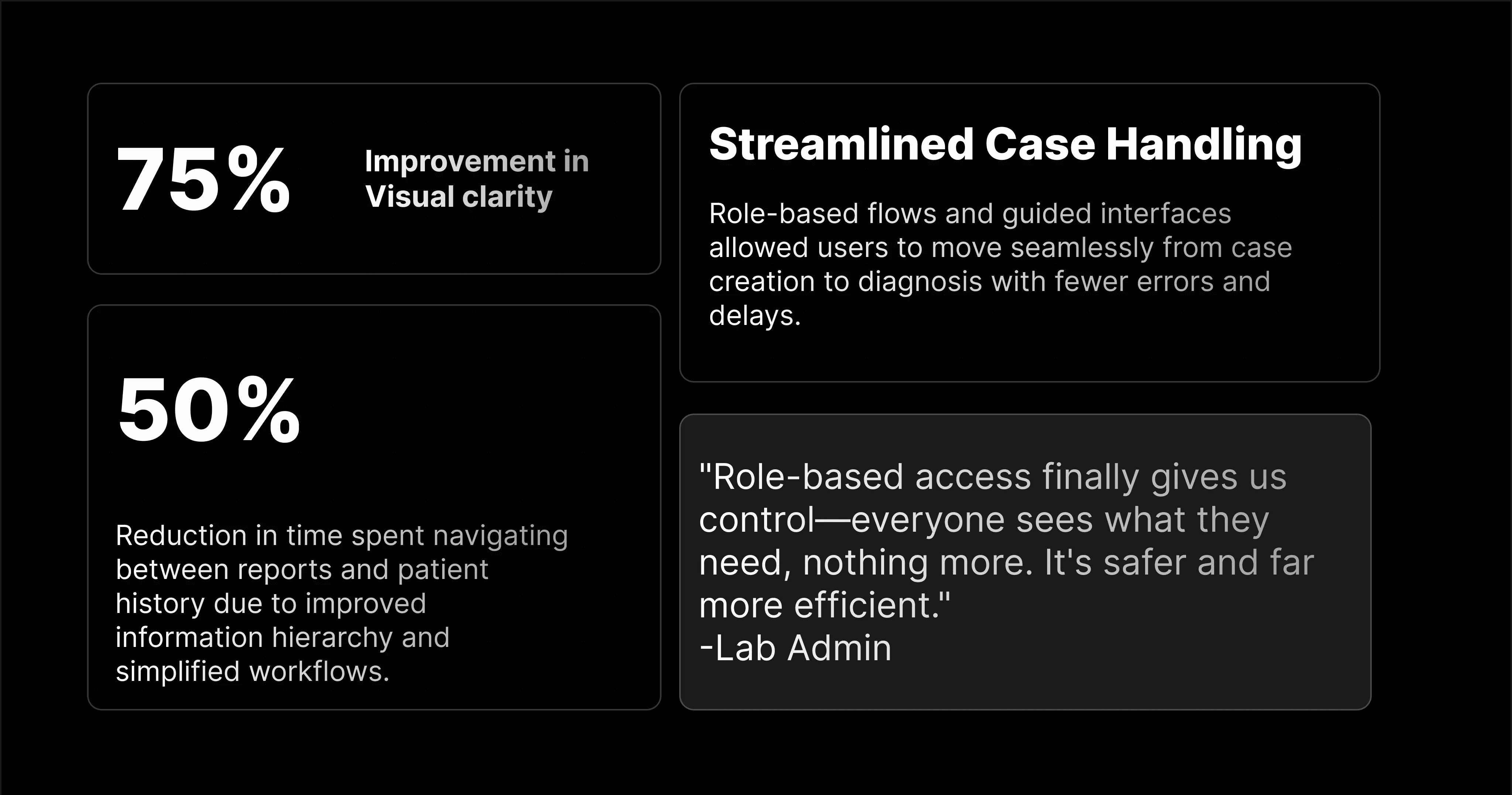
WHAT DID WE ACHEIVE
WHAT DID WE ACHEIVE
LEARNINGS
Content
Small interface changes can solve big problems
Even minor adjustments in layout, click paths, or access permissions can drastically improve efficiency, prevent misuse, and build user trust.
Hardware-aware design strengthens usability
Working with a physical medical device reminded me that good UX must also account for hardware behavior, limitations, and context of use.
Complexity for the system ≠ , complexity for the user
Even when logic is intricate, like in dynamic, dependency-based forms, users still expect clean, intuitive interfaces. Simplifying the surface is critical.
Role clarity improves both usability and security
Defining user roles not only streamlined the interface but also minimized errors and protected sensitive data.
LEARNINGS
Content
Complexity for the system ≠ , complexity for the user
Even when logic is intricate, like in dynamic, dependency-based forms, users still expect clean, intuitive interfaces. Simplifying the surface is critical.
Role clarity improves both usability and security
Defining user roles not only streamlined the interface but also minimized errors and protected sensitive data.
LEARNINGS
Content